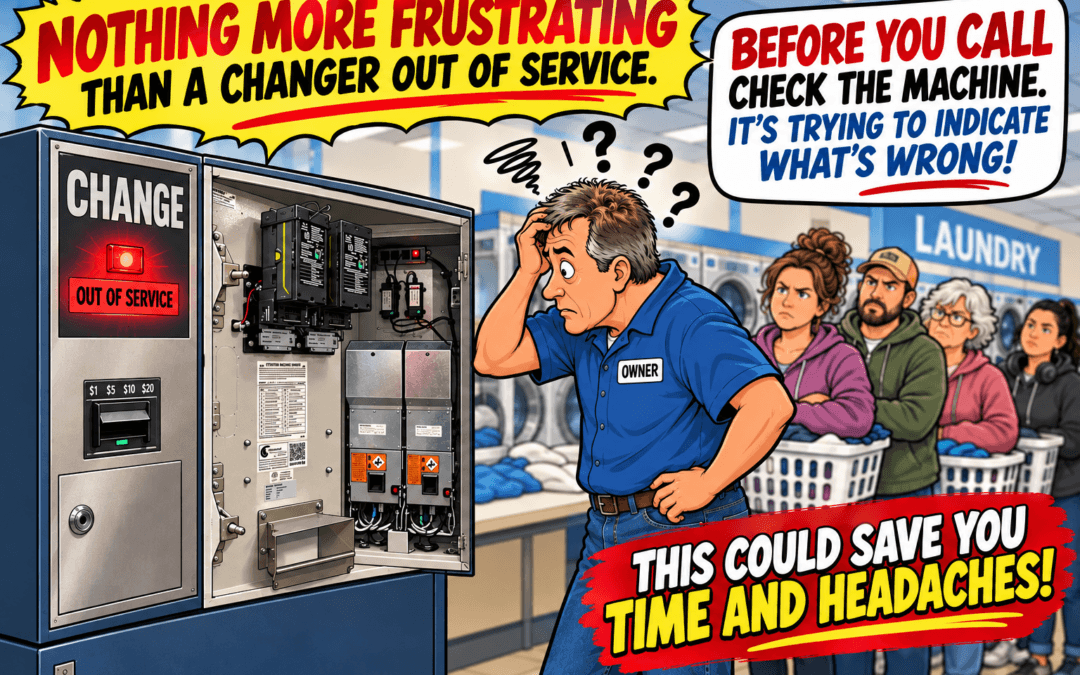
Before you press the reset button, take a moment to see what your change machine is telling you.
Since 1955, Standard Change-Makers has designed and manufactured commercial change machines for laundromats, car washes, and other self-service businesses. Over those 70+ years, we’ve learned a thing or two about troubleshooting change machines.
One of the most important components in every Standard change machine is its control board. This board communicates with the bill validator, processes the signals it receives, directs the coin hoppers to dispense the proper amount of change, and prepares the machine for the next transaction. It works very similarly in a bill exchanger, where we have a Relay Board (looks like a hopper control board) between the bill acceptor and dispenser.
Our Service and Engineering teams have spent decades identifying common operating problems and incorporating diagnostic capabilities into the firmware that controls our machines.
The result?
Your Standard change machine can help you identify what’s wrong before you ever pick up the phone to call for service.
Understanding Your Change Machine’s Error Codes
Open the door of your Standard change machine, and you’ll find a white sticker labeled “ATTENTION MACHINE OWNER.”
This sticker includes a table explaining the error flash codes generated by the machine’s control board.
On the Hopper Control Board, an amber indicator light communicates the machine’s operating status.
- Steady, repeating flashes: The machine is operating normally.
- A series of flashes followed by a pause: The machine has detected an error.
The number of flashes identifies the error code, which you can cross-reference with the table on the sticker.
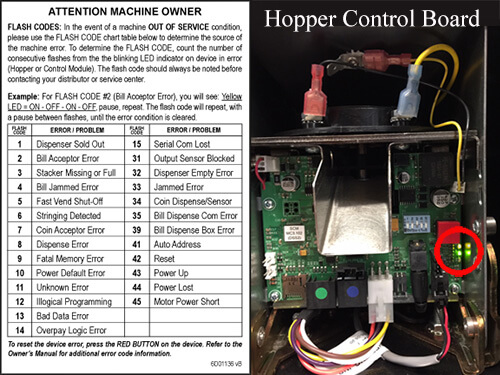
Example: Error Code Four — Bill Jammed
Suppose your amber indicator light flashes four times, pauses, and then repeats that same four-flash sequence.
That’s Error Code Four — Bill Jammed Error.
This indicates a possible obstruction in the bill validator. The next step is to examine the bill acceptor for a jammed or damaged bill, either in the bill path or in the stacker.
If you discover a crumpled bill inside the validator module, carefully remove it. Inspect the bill path for additional obstructions and clean the accessible surfaces with a clean, lint-free cloth, following the validator manufacturer’s cleaning instructions.
Once you’ve reassembled the validator, press the red reset button on the primary hopper. The machine will cycle through its reset procedure and, assuming the problem has been corrected, return to normal operation.
Congratulations! You’ve just diagnosed and potentially corrected a problem using the machine’s built-in troubleshooting system.
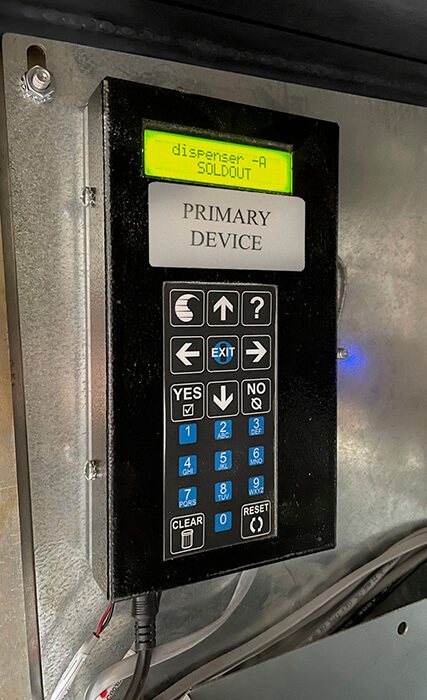
Troubleshooting With the EF+ Module
Some Standard Change-Makers machines are equipped with our optional EF+ Module, which provides additional control, programming, and diagnostic capabilities.
Instead of requiring you to count flashes on the control board, the EF+ Module communicates operating status and detected errors through its green LCD display.
For example, you might see:
“Sold Out” — Check the coin hopper to make sure it’s empty and needs to be refilled.
“Sensor Error” — Inspect the appropriate dispenser components for possible obstructions or sensor-related issues.
These messages help direct your attention to the components most likely associated with the detected problem.
The EF+ Module makes troubleshooting easier by displaying a description of the error rather than requiring you to interpret a series of flashes. The Hopper Control Board will also show the flashing indicator error code.
Don’t Reset Until You’ve Checked the Error!
Here’s the most important takeaway.
The next time your Standard change machine stops operating, resist the temptation to immediately press the red reset button on the hopper or the reset button on the EF+ Module.
First, take a moment to find out what your machine is telling you.
Count the amber flashes on the Hopper Control Board, or read the error message on the EF+ Module display. Then use that information to identify the component that needs your attention.
Remember, an error code is a starting point for troubleshooting. It identifies a detected condition, but further inspection may be necessary to determine the actual cause.
A little troubleshooting knowledge can save time, reduce unnecessary service calls, and help get your change machine back into operation more quickly.
And if the problem persists, the Service Department at Standard Change-Makers is here to help.
Standard Change-Makers — Manufacturing Reliable Change Machines Since 1955.
FOR MORE INFORMATION ON TROUBLESHOOTING:
Refer to the MC SERIES PARTS AND SERVICE MANUAL in our SUPPORT > OWNER’S MANUALS section, under the Modular Series Manuals.